The truth about Jurgen Klopp coaching Real Madrid: A decisive response from Red Bull

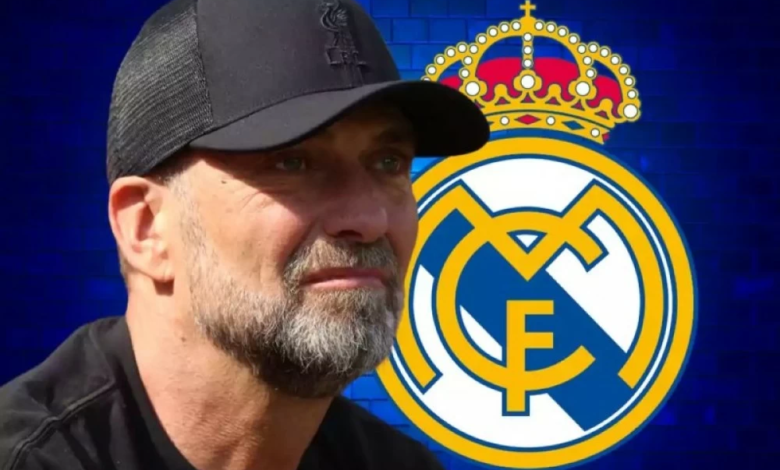
Oliver Mintzlaff, CEO of German club RB Leipzig and a senior official in the Red Bull group, put an end to the growing rumors that have recently swept through sports circles about the future of veteran German coach Jurgen Klopp, and the possibility of him moving to take over the technical leadership of Spanish club Real Madrid.
Details of the official response and Red Bull's stance
In decisive statements reported by the French network Foot Mercato, Mintzlaff categorically denied any intention of Klopp leaving his current position. The German official said: "Jürgen Klopp is doing his job perfectly and feels at home with us. His contract does not include any release clause, and his commitment to the Red Bull Group is unquestionable.".
Mintzlaff emphasized that Klopp's current role goes beyond mere technical consultation, as he has directly contributed to pushing RB Leipzig and the rest of the group's clubs a big step forward, noting his success in creating an exceptional balance between on-field technical support and managerial flexibility, which strengthens the group's long-term strategy.
The context of the rumors and Real Madrid's situation
These statements came in response to press reports linking Klopp to Real Madrid, amid talk of the team's inconsistent results under Xabi Alonso, which has fueled widespread speculation that the Merengues' management is searching for a coach with a strong personality and extensive European experience to turn things around. While Real Madrid has always been a preferred destination for top coaches, Klopp's connection to the Red Bull project appears more profound and stable at present.
Klopp's strategic role at Red Bull
Jürgen Klopp currently holds the position of "Global Head of Football" at the Red Bull Group, a strategic role in which he oversees the group's playing philosophy, talent development, and coaching across its network of clubs, which includes RB Leipzig (Germany), Red Bull Salzburg (Austria), New York Red Bulls (USA), and Red Bull Bragantino (Brazil). This role allows Klopp to remain at the heart of football without the daily pressures of direct coaching that he experienced for many years.
Klopp's historic legacy and golden career
These developments come roughly 18 months after Klopp left Liverpool, handing the reins to Dutch manager Arne Sloat. Klopp boasts a legendary coaching career that has established him as one of the greatest managers in the history of the game
- Liverpool era (2015-2024): He led the Reds to regain their glory, achieving the Champions League title in 2019, and the English Premier League title in 2020 after an absence of 30 years, in addition to other local and international cups.
- Dortmund Revolution: Before that, he made history with Borussia Dortmund of Germany, breaking Bayern Munich's dominance and winning the Bundesliga title twice, and reaching the Champions League final in 2013.
This impressive history is what makes Jurgen Klopp's name always mentioned in the corridors of major clubs like Real Madrid whenever a technical crisis occurs, but Mintzlaff's recent statements have completely closed this door in the foreseeable future.