
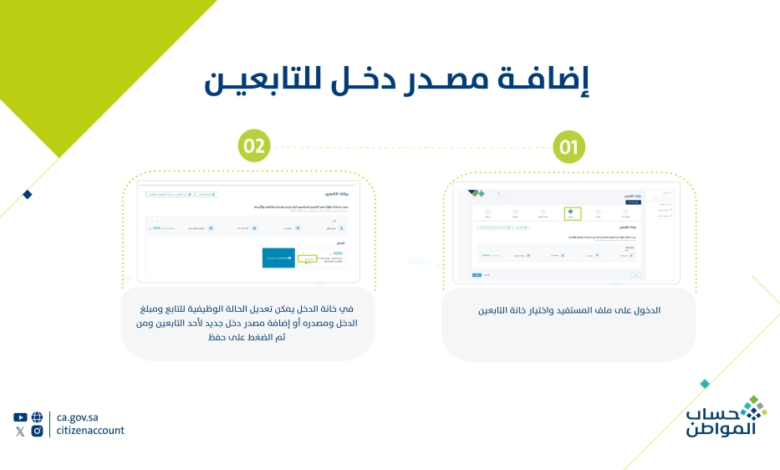
Two steps via the Citizen Account: How to add a source of income for dependents

The Citizen Account Program allows users to add a source of income for dependents to ensure accurate calculation of eligible beneficiaries.
Adding a source of income for dependents can be done in two steps:
- Access the beneficiary's file and select the dependents' category.
- In the income section, you can modify the dependent's employment status, income amount and source, or add a new income source for a dependent, and then click Save.
Payment status: “None”
The Citizen Account Program clarified, via the letter that the payment status "None" means the total income of the beneficiary and dependents (if applicable) exceeds the eligibility threshold for support. The support amount varies from family to family based on its composition and total income. An
estimated support amount can be calculated using the online calculator.
Citizen Account
The Citizen Account Program provides effective support to various deserving groups , and also provides cash support that eligible beneficiaries receive directly.
Compensation for beneficiaries retroactively
The Citizen Account Program, through its "X" platform, clarified the cases in which beneficiaries receive retroactive compensation. These include:
For financial appeals: Retroactive compensation is provided to eligible beneficiaries whose financial appeals have been approved.
For eligibility appeals: Acceptance of an appeal indicates inclusion in the next payment cycle; however, this does not guarantee compensation. Retroactive compensation is determined based on a review and approval of each individual case, in accordance with the program's regulations.